How to Use Jules for GitHub Coding Tasks
How to Use Jules starts with GitHub access and a bounded coding task. Jules is best for asynchronous repository work where you can name the repo, branch, expected change, verification path, and review owner before it writes code.
Connect GitHub first. Jules needs repository access, then it shows a repo selector and prompt box. For the first task, pick a repository, choose the branch, write a specific prompt, optionally add environment setup scripts, and click Give me a plan.
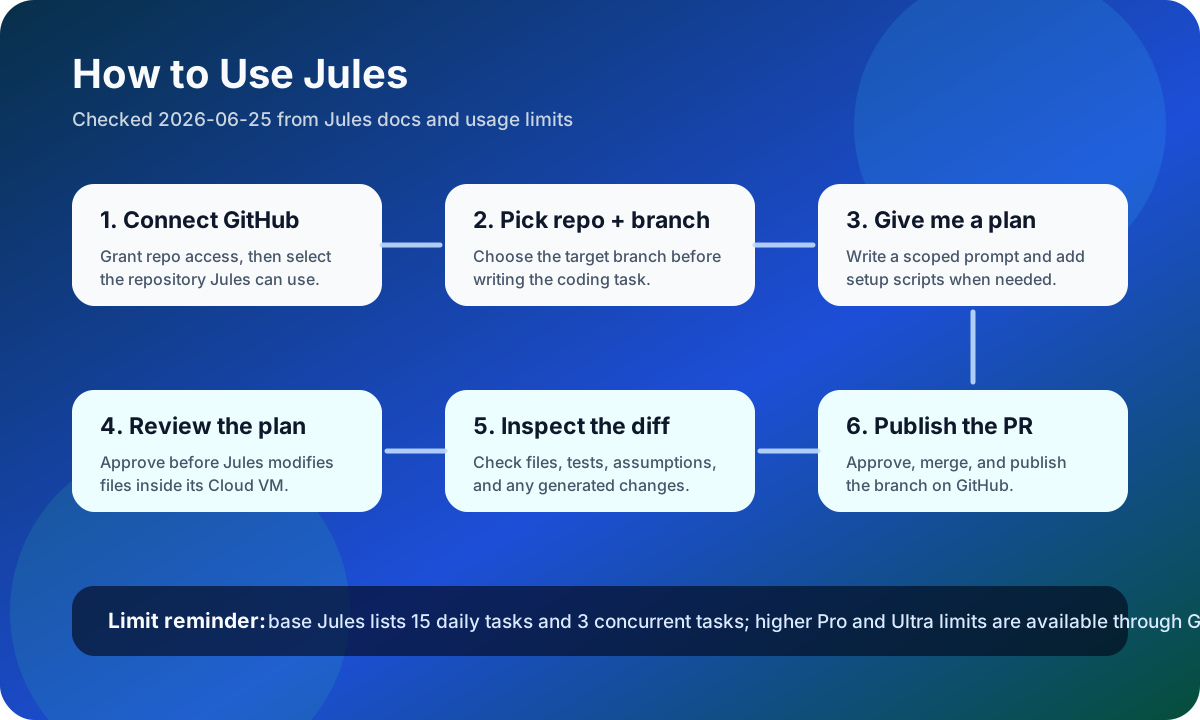
After you submit a task, Jules generates a plan before making code changes. Treat that plan like a lightweight design review: confirm the files, the migration path, the tests or checks, and any risky assumptions before approving work inside its Cloud VM.
The practical review loop is plan, diff, pull request. Jules can clone the repository in a Cloud VM, propose a plan, provide a diff, and create a PR for you to approve, merge, and publish on GitHub.
A good first Jules task is small and reviewable: add a missing test, update one dependency with a migration note, fix a documented bug, or refactor a narrow module. Avoid broad prompts like rebuild the app or improve code quality until you have a repeatable review and verification process.
Sources and evidence
Sources
- Jules homepage and getting-started docsChecked 2026-06-25Medium volatility
Use for official product positioning and documented capabilities as of the check date.
- Jules usage limitsChecked 2026-06-25High volatility
Use for plan structure and pricing context as of the check date; verify the official page before purchase.