How to Use Junie for JetBrains and CLI Coding Tasks
How to Use Junie depends on the surface you want: JetBrains IDE agent work, Junie CLI in a terminal, or headless usage in scripts. Start with a small repository task, then choose whether to authenticate with your JetBrains subscription, JUNIE_API_KEY usage-based billing, or BYOK.
For Junie CLI, install it from the terminal with `curl -fsSL https://junie.jetbrains.com/install.sh | bash`, move to the project root, and run `junie`. JetBrains documents Linux, macOS, and Windows support, plus a PowerShell install path for Windows users.
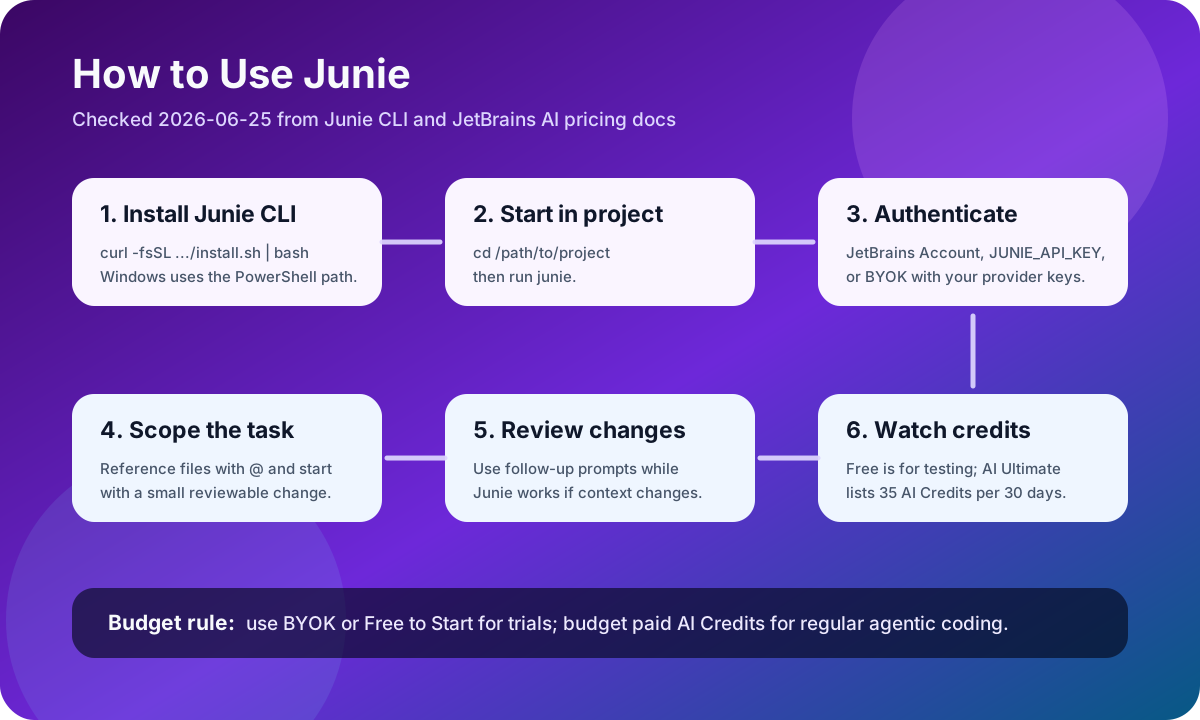
Authentication is the important fork. A JetBrains Account lets you use Junie as part of your subscription plan. JUNIE_API_KEY enables usage-based billing. BYOK lets Junie send requests directly through your own keys or OAuth tokens from providers such as Anthropic, OpenAI, Google, or other model providers.
Good first tasks are narrow: ask Junie to explain a module, add a missing test, update a small function, review a PR, or make a bounded refactor. Use `@` references for files and directories, and add follow-up clarifications while Junie CLI is working when the task needs more context.
Sources and evidence
Sources
- Junie homepage and CLI quickstartChecked 2026-06-25Medium volatility
Use for official product positioning and documented capabilities as of the check date.
- JetBrains AI plans and usage docsChecked 2026-06-25High volatility
Use for plan structure and pricing context as of the check date; verify the official page before purchase.