Best AI Productivity Tools for Teams
AI productivity tools work best when they attach to a repeated workflow: meetings, documents, presentations, team knowledge, or task follow-up. Random chat is useful, but repeatable context is where teams save time.
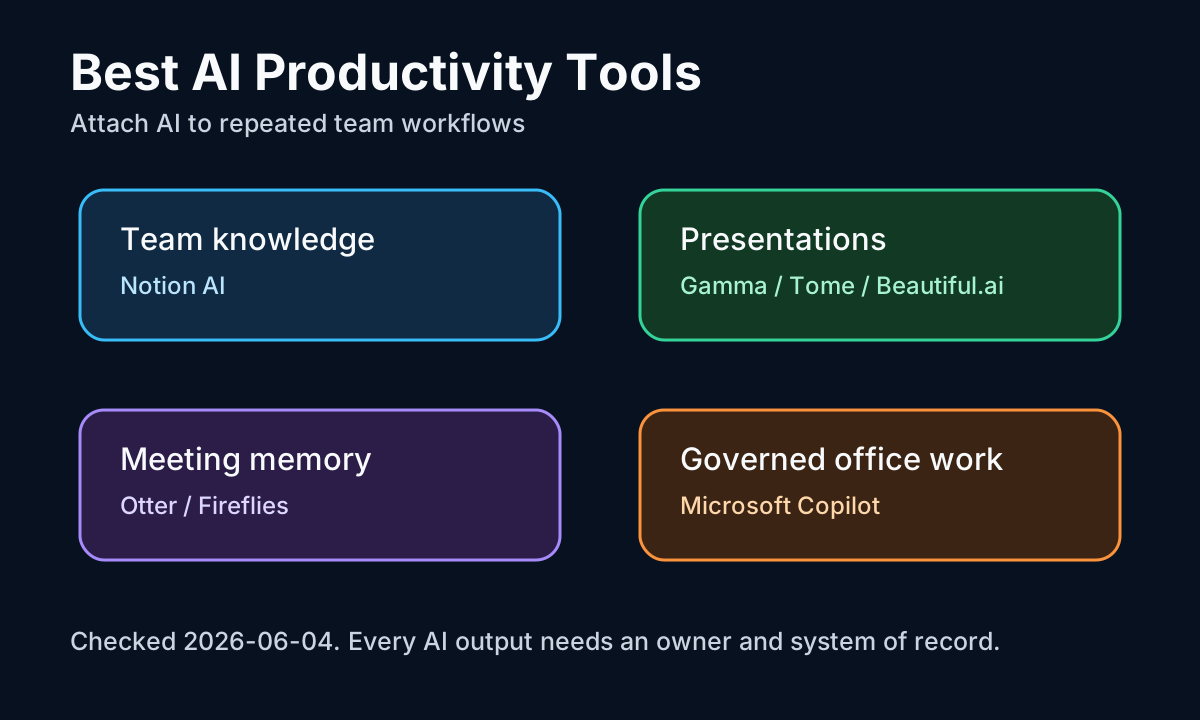
| Layer | Tool | Best for |
|---|---|---|
| Knowledge | Notion AI | Querying and reshaping team notes and docs |
| Presentations / docs | Gamma | Turning a rough idea into a shareable deck |
| Meetings | Otter / Fireflies | Transcripts, summaries, action items |
| Governed office | Microsoft Copilot | Work centered on Microsoft 365 |
The stack, layer by layer
Notion AI fits when the team's knowledge already lives in Notion. Its value is less about a single generated paragraph and more about making notes, databases, docs, and project context easier to query and reshape.
Gamma is strongest when a rough idea needs to become a shareable deck or document. Gamma's developer docs describe an API that can generate presentations, documents, websites, and social posts programmatically, which signals that Gamma is more than a slide prettifier.
Otter and Fireflies belong to the meeting layer. Otter help pages describe AI-generated summaries, action items, highlights, outlines, and meeting slides. Fireflies pages describe real-time notes, transcripts, summaries, and action items during or after meetings.
The biggest failure mode is orphaned output. A meeting summary that never becomes a task, a deck that never gets reviewed, or a workspace answer with no source link is not productivity. Connect each AI output to an owner, a system of record, and a review moment.
The best AI productivity stack is usually one knowledge tool, one meeting tool, and one presentation or document tool. Pick by where your team already stores context, not by which demo looks most impressive.
Frequently asked questions
What are the best AI productivity tools for a team?
Build a stack of one per layer: Notion AI for team knowledge and workspace Q&A, Gamma for presentations and documents, Otter or Fireflies for meeting transcription and action items, and Microsoft Copilot when work is governed through Microsoft 365. Pick by where context already lives.
How do I stop AI productivity tools from wasting time?
Avoid orphaned output. A meeting summary that never becomes a task, a deck no one reviews, or a workspace answer with no source link is not productivity. Connect each AI output to an owner, a system of record, and a review moment.
Should I pick one all-in-one tool or several specialists?
Usually several specialists — one knowledge tool, one meeting tool, and one presentation or document tool — chosen around where your team already stores context, rather than one tool that does everything but fits no workflow deeply.
Sources and evidence
Sources
- Gamma developer docsChecked 2026-07-07Medium volatility
Use for official product positioning and documented capabilities as of the check date.
- Otter meeting summary help pagesChecked 2026-07-07Medium volatility
Use for official product positioning and documented capabilities as of the check date.
- Fireflies real-time notes docsChecked 2026-07-07Medium volatility
Use for official product positioning and documented capabilities as of the check date.
- Microsoft 365 Copilot Chat overviewChecked 2026-07-07Medium volatility
Use for official product positioning and documented capabilities as of the check date.