Gamma Tutorial: How to Make a PPT with AI
Gamma is strongest when you treat it as a presentation first-draft system rather than a magic final-slide machine. The winning workflow is simple: write a precise brief, choose the right creation mode, generate a structured draft, edit card by card, export in the format your audience needs, and run a final QA pass before presenting.
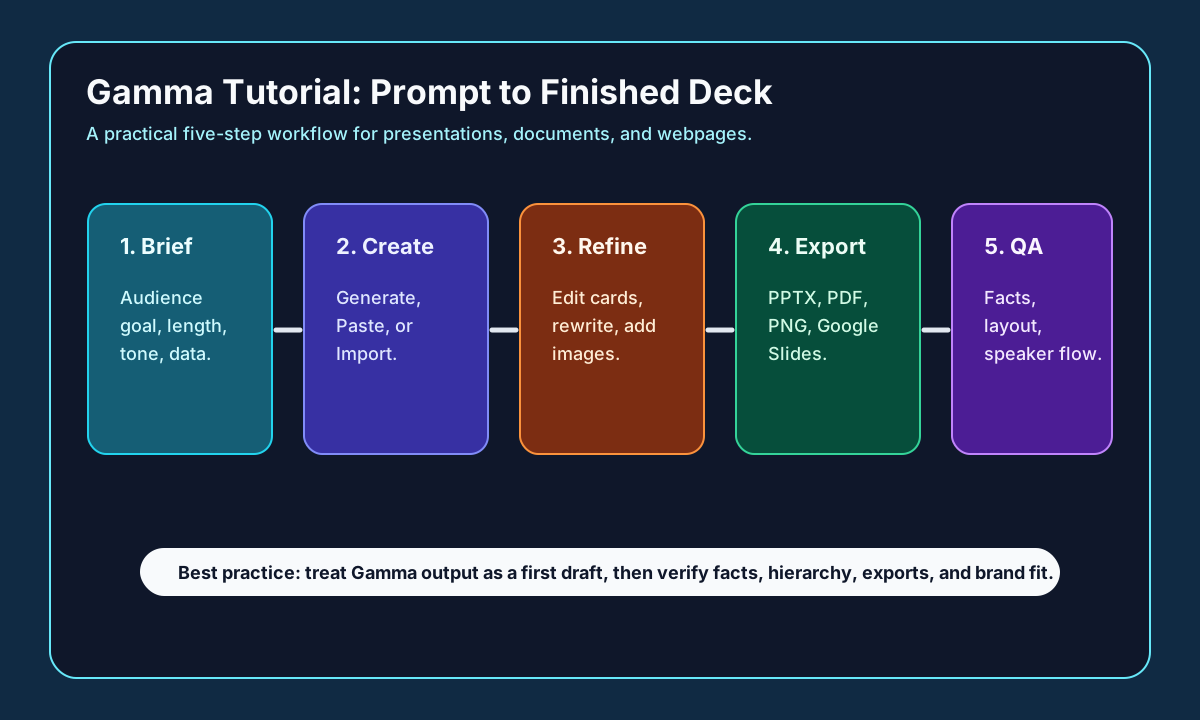
The Gamma workflow, step by step
| Step | Do this |
|---|---|
| 1. Brief | Audience, goal, card count, tone, must-use facts, CTA |
| 2. Creation mode | Generate (idea), Paste (notes), Import (PPT/doc/URL) |
| 3. Inspect outline | Problem/audience/promise → evidence → recommendation |
| 4. Revise in layers | Title & hierarchy → body copy → replace generic visuals |
| 5. Export | PDF (final), PPTX (further edit), PNG, or Google Slides |
| 6. Export QA | Check fonts, breaks, chart labels, links, embeds, watermarks |
Step 1: write the brief before opening the generator. Include the audience, goal, desired number of cards, tone, must-use facts, source links, and what the audience should do after the presentation. A useful Gamma prompt is not just a topic; it is a short production order for a deck.
Step 2: choose the creation mode based on your source material. Use Generate when you are starting from an idea. Use Paste when you already have notes, a memo, a blog draft, or a transcript. Use Import when the source is a PowerPoint file, document, PDF-style material, or URL that Gamma should convert into a presentation, document, or webpage structure.
Step 3: inspect the outline before polishing visuals. AI deck tools often produce attractive cards with uneven logic. Check whether the first three cards establish the problem, audience, and promise; whether the middle cards carry the evidence; and whether the ending has a clear recommendation, next step, or decision ask.
Step 4: revise cards in layers. First fix the title and hierarchy of each card. Then tighten the body copy. Then replace generic visuals with screenshots, charts, product images, or branded diagrams. Gamma's help center also documents AI-assisted editing through the sparkle icon and, on higher plans, multi-card editing.
Step 5: choose the export target only after you know the review loop. Use PDF when the deck is final and should not be edited. Use PPTX when a client, teacher, manager, or teammate will continue editing in PowerPoint. Use PNG when you need static images. Use the Google Slides path when your team reviews in Google Workspace.
Step 6: run an export QA pass. Gamma's export help notes that videos, embedded content, forms, buttons, nested cards, and some formatting may not transfer perfectly. Open the exported file, check fonts, line breaks, chart labels, image crops, speaker notes, clickable links, and whether any brand marks or watermarks are acceptable for the audience.
A reliable Gamma prompt template is: create a presentation for [audience] about [topic], with [number] cards, in a [tone] style. The goal is [decision or action]. Use these facts: [facts]. Include sections for [section list]. Avoid [things to avoid]. End with [call to action]. This gives Gamma enough structure without forcing you to manually design every card.
Yes, Gamma can be used to make PPT-style presentations from prompts, pasted text, imports, and existing files. The important habit is to treat the generated deck as a structured draft, then verify facts, fix hierarchy, replace generic visuals, and test the export format before sharing.
Frequently asked questions
Can Gamma make a PowerPoint with AI?
Yes. Choose Create New with AI, then Generate from a prompt, Paste existing notes, or Import a PowerPoint, document, or URL. Gamma drafts a structured deck you then refine, and you can export to PPTX, PDF, PNG, or Google Slides.
How do I export a Gamma deck to PowerPoint?
Use the PPTX export when someone will keep editing in PowerPoint (PDF for a final deck, PNG for static images, Google Slides via PPTX for Workspace review). Always run an export QA pass — videos, embeds, forms, buttons, and some formatting may not transfer perfectly.
What's a good Gamma prompt?
Use a production-order template: 'Create a presentation for [audience] about [topic], with [number] cards, in a [tone] style. The goal is [decision/action]. Use these facts: [facts]. Include sections for [list]. Avoid [things]. End with [CTA].' That gives Gamma structure without designing every card by hand.
Sources and evidence
Sources
- Gamma help pages (create, export, API)Checked 2026-06-22Medium volatility
Use for official product positioning and documented capabilities as of the check date.
- Gamma pricingChecked 2026-06-22High volatility
Use for plan structure and pricing context as of the check date; verify the official page before purchase.